Contacts (CardDAV)
How Kurrier keeps all your contacts in sync across every device
Contacts
Kurrier provides a secure, private, cross‑platform address book that works with any device capable of CardDAV sync — including iPhone, Android, Windows, macOS, Linux, and any app that supports open standards.
This page explains what contacts are in Kurrier, how syncing works, and what you can expect when using Kurrier with different clients.
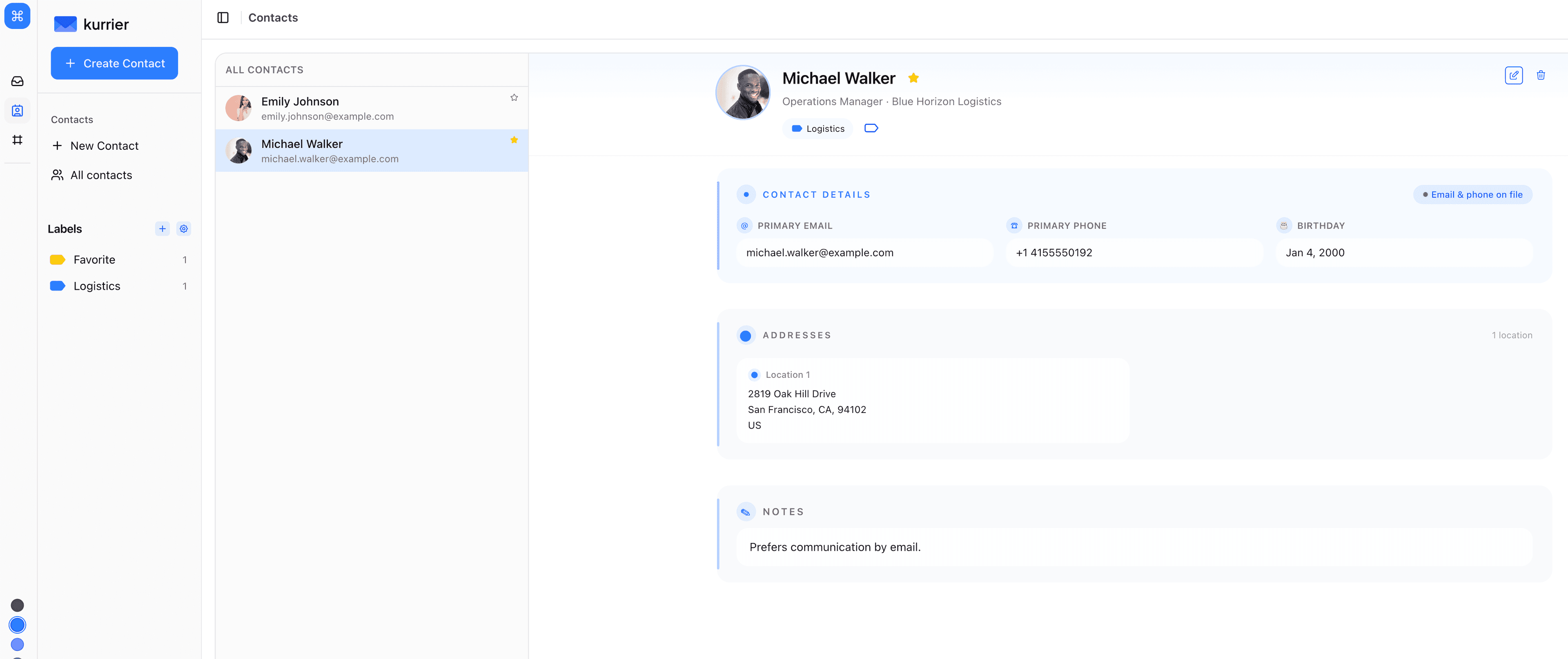
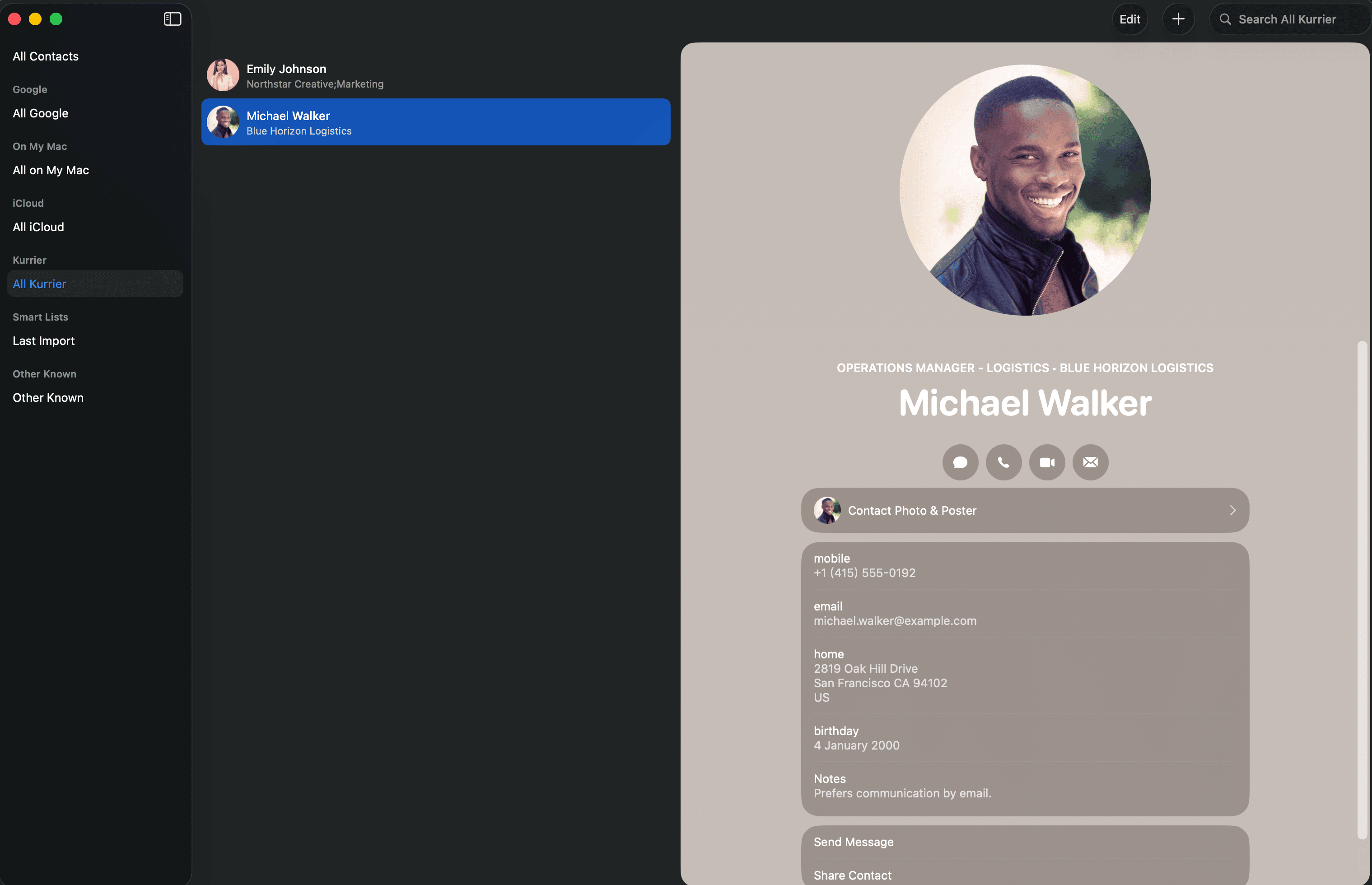
MacOS Contacts app syncing with Kurrier:
What Kurrier Does
Kurrier gives you:
- A central address book stored in your self‑hosted Kurrier instance
- Automatic syncing with any device using the open CardDAV protocol
- Zero vendor lock‑in — move, export, or back up your data anytime
- Full-featured contact management UI inside the Kurrier dashboard
- Instant back‑and‑forth sync with your phone or computer
- Label-based organisation (Categories/Groups) preserved inside Kurrier
- Photo support — profile pictures sync both ways
- Safe updates — Kurrier never deletes or overwrites data unless you do
Kurrier works as the source of truth, while your devices act as CardDAV clients.
How Sync Works
Kurrier uses a standard CardDAV server internally. When your phone or laptop connects to Kurrier:
- The device asks for the list of contacts
- Kurrier returns only what changed since the last sync
- Devices send changes (add/update/delete) back to Kurrier
- Kurrier updates its database
- Your UI updates
- The next sync cycle propagates changes to all other devices
This means:
- Sync is incremental, not full reload each time
- Multiple devices can update contacts independently
- Kurrier handles merging and updates safely
- Image updates, labels, notes, birthdays — all sync
Supported Devices
Kurrier supports any CardDAV-compatible client, including:
📱 Mobile
- iPhone / iPad (iOS Contacts)
- Android Contacts apps supporting CardDAV (DAVx⁵, OneCalendar, OpenSync, etc.)
💻 Desktop
- macOS Contacts
- Windows (via CardDAV-compatible apps)
- Linux KDE / GNOME (built-in CardDAV support)
🌐 Web & Open Protocol Tools
- Thunderbird (CardDAV built-in)
- Evolution
- Roundcube with CardDAV plugin
- Any tool that can read/write
.vcffiles
If your device supports CardDAV, Kurrier works with it.
Labels (Categories / Groups)
Kurrier supports contact labels, which act like categories or groups.
In Kurrier they appear as:
- Color-coded labels
- Multiple per-contact
- Organizable and searchable
Note: Some devices (like Apple Contacts) do not sync CardDAV categories reliably. Kurrier still stores them internally, but the client may not show them.
Photos
Kurrier fully supports:
- Device → Kurrier photo updates
- Kurrier → Device photo export
- Standard VCard base64 PHOTO fields
- Automatic MIME detection
Photo sync works across all major clients.
How Kurrier Protects Your Data
- You host your own instance
- Your contact database lives on your own server
- All syncing uses standard, transparent protocols
- No analytics
- No third-party data storage
You always stay in control.
Troubleshooting
Contacts slow to appear?
Some clients (especially iOS/macOS) sync every few minutes, not instantly.
Photos not showing?
Older CardDAV clients may have partial image support — Kurrier still stores them.
Labels not visible on your device?
Many commercial clients ignore categories, even though Kurrier preserves them.
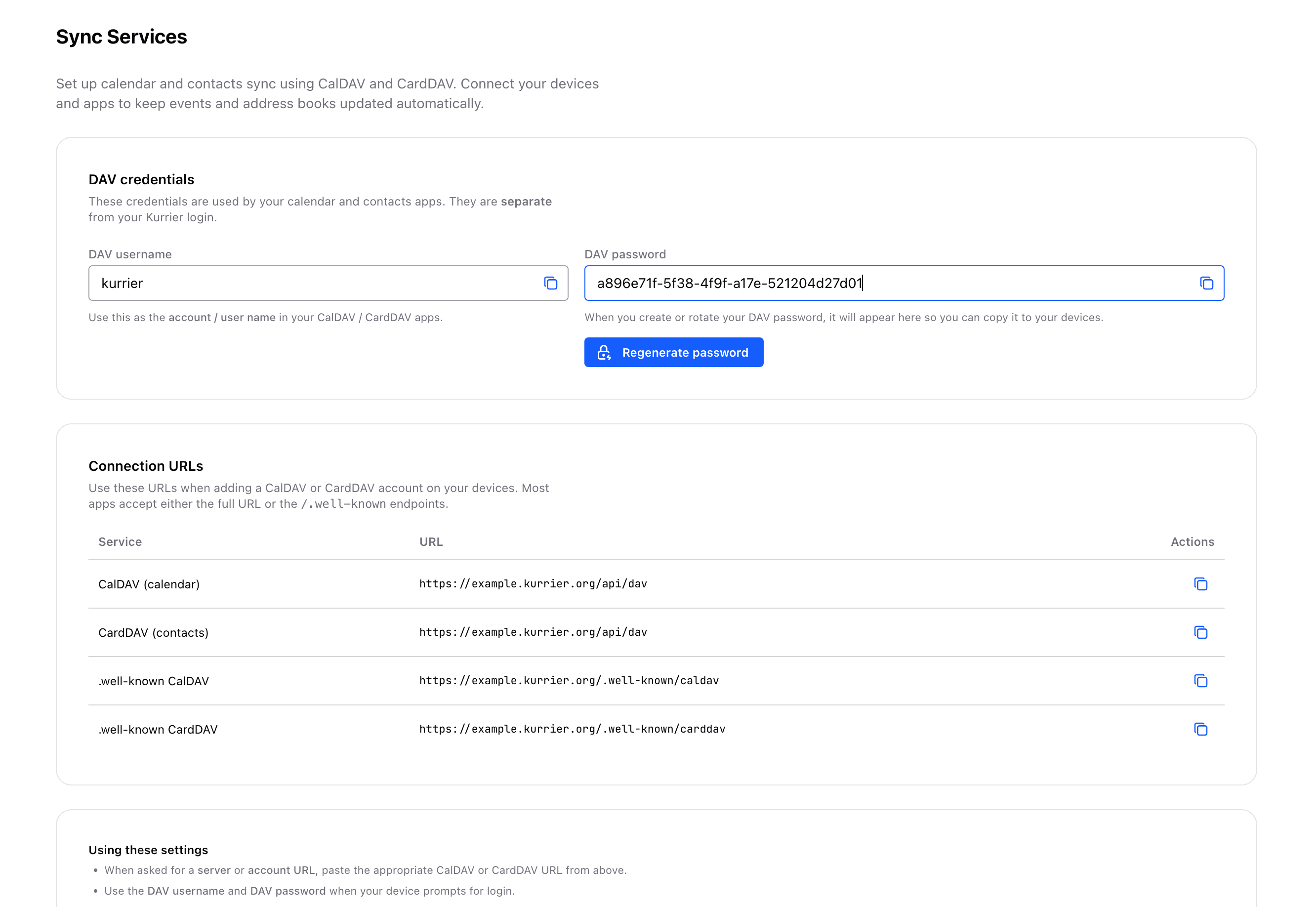
Step 1: Find Your CardDAV Login
Inside Kurrier:
-
Open Settings → Sync Services → Contacts
-
You will see your unique CardDAV username.
-
Click Reveal Password to view or copy it.
(Kurrier stores it encrypted.)
Summary
Kurrier gives you:
- A private, modern address book
- Sync across every device
- A fast, clean web UI
- Full CardDAV compatibility
- Safe, reliable storage
- Zero lock-in
With Kurrier, your contacts belong to you.